
Fashion is constantly evolving.
First method :
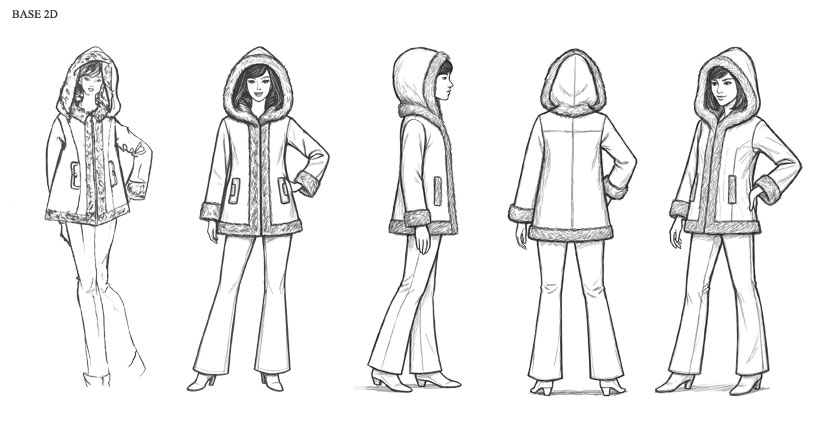
7 views created with 1 personal drawing
1/10 scale
The use of artificial intelligence for creating and improving fashion designs is a new step that fashion designers must take if they want to present projects on time with impeccable quality.
- Improved creation speed for increased production
- Improved precision in creating fashion designs
- Creation assistance to enhance presentation models.
There are two ways to create views.
First method:
Start with a personal drawing and modify it by adding elements or presenting it in different ways, such as changing the viewing angle.
Second method:
Ask the AI to create the initial drawing—whether it's a model, a garment, or any other design—based on elements provided as a prompt, and modify it (additional prompt) as the result is obtained.
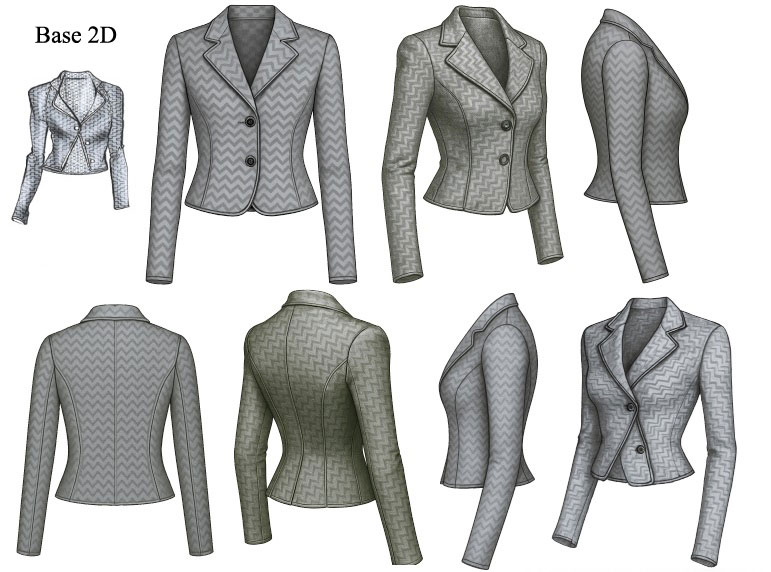
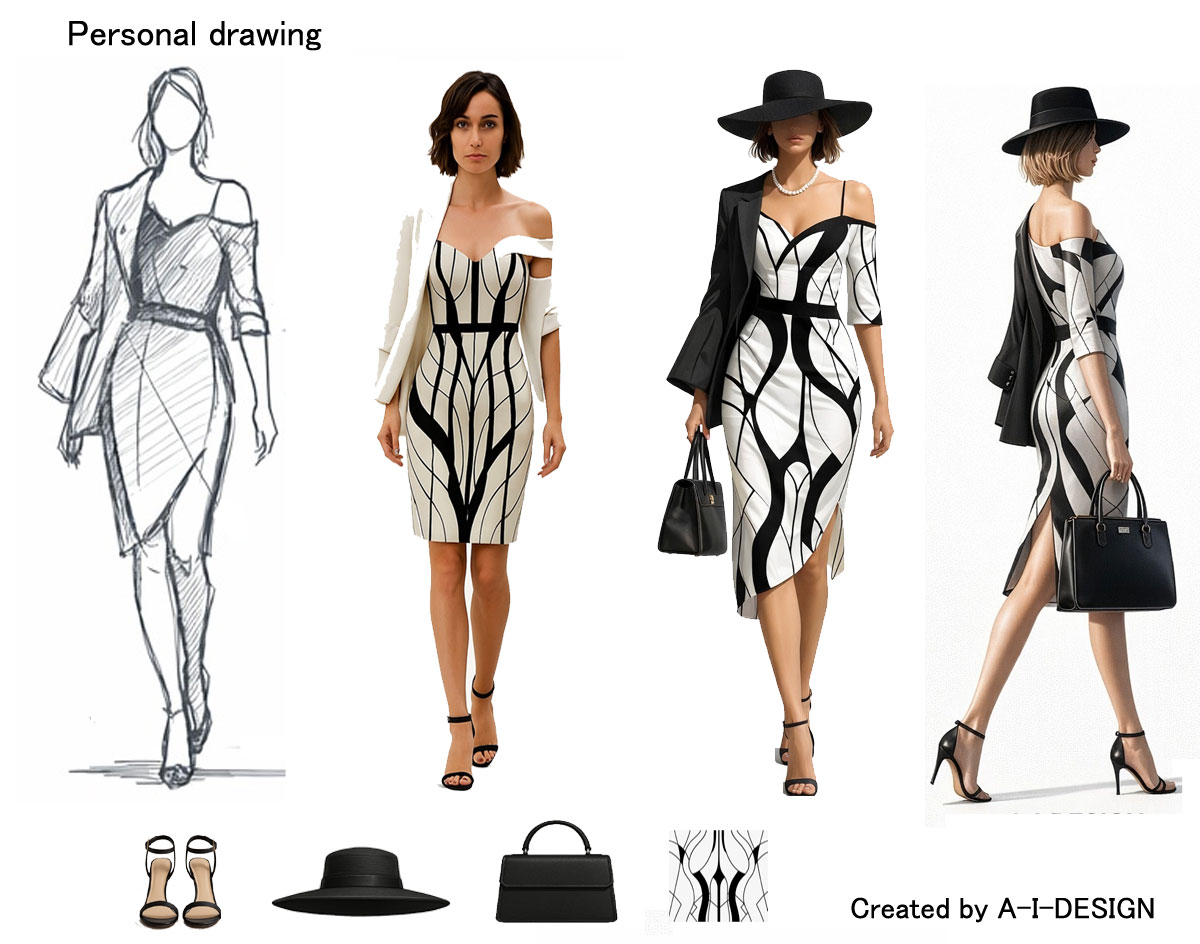
Starting with a front view drawing, it's easy to request A-I-Design to create views at different angles with a simple written command. First, the front view was automatically converted into a 3D image, which was then asked to create views at different angles—here, seven front, side, and rear views.
Example of a prompt for creating a 30-degree view:
1) Import the front view drawing into A-I-Design.
2) Prompt: Create a 30-degree side view.
Creation time by A-I-Design for each view: 1 to 2 minutes
First method :
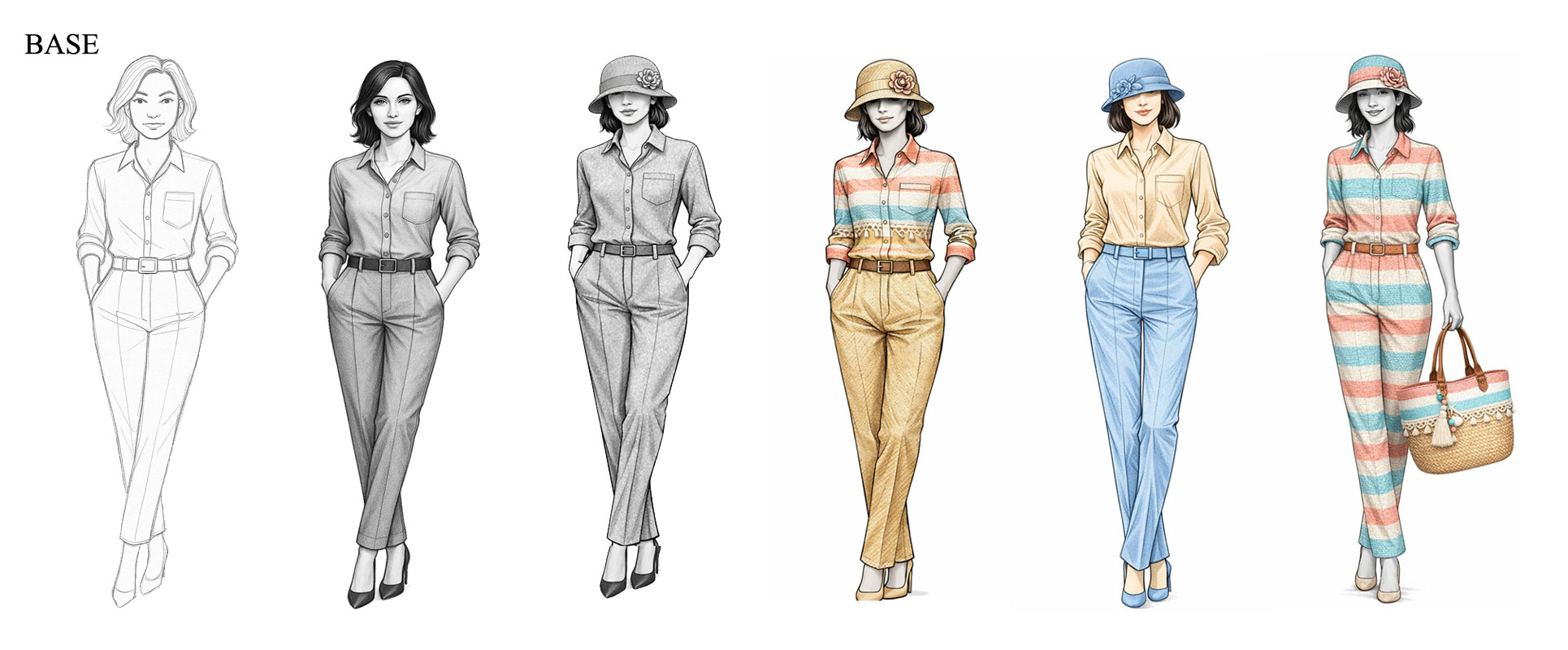
Starting with a 2D front view drawing, it's easy to ask A-I-Design to create views from different angles using a simple text command.
The front view is first automatically converted into a 3D image.
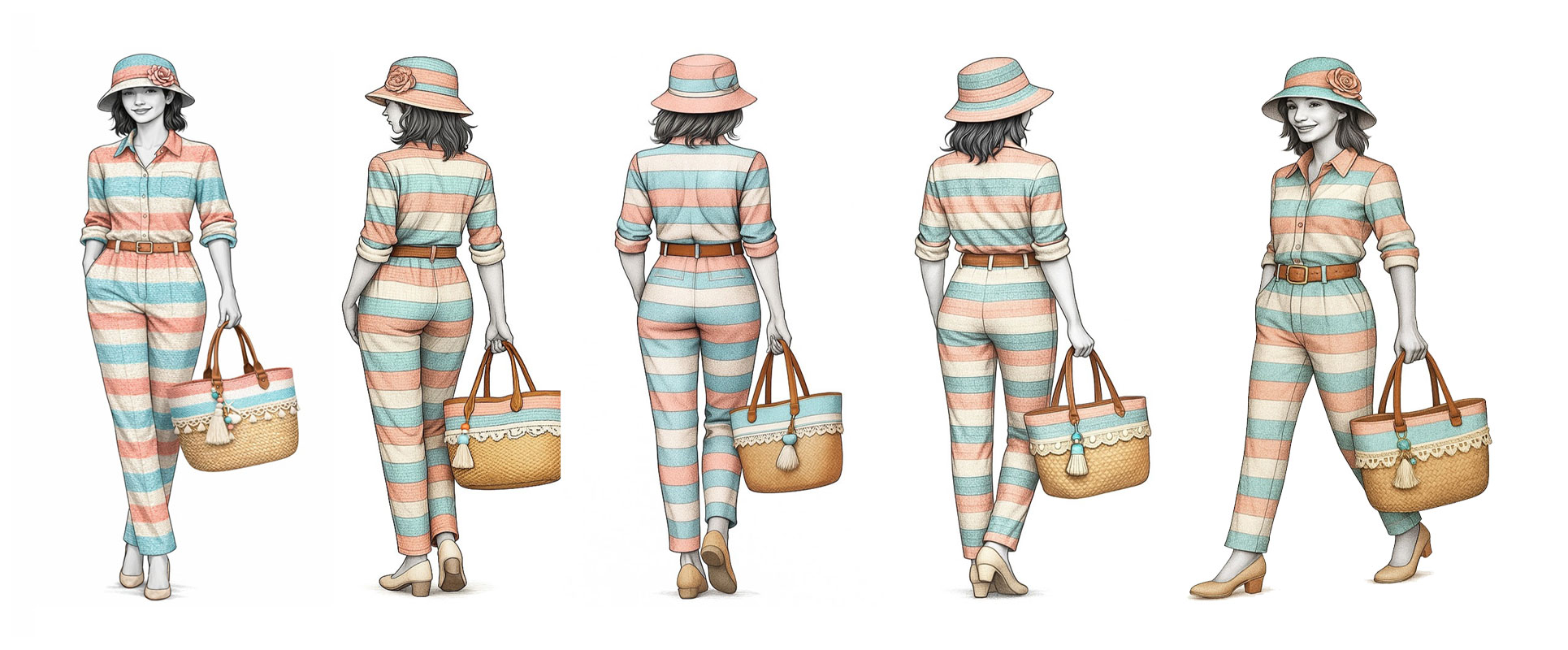
Then, you fill a portion of the garment with a custom canvas in different areas (here, the top and bottom of the garment), and add a custom hat and bag.
Then, you generate views from different angles: here, seven front, side, and back views.
Example command for creating a 30-degree view:
- Import the front view drawing into A-I-Design.
- Select several canvases, a hat, and a bag.
- Command: Create a 30-degree side view.
First way to use AI.
Start with a personal 2D (Base 2D) and request several different views to improve the presentation.
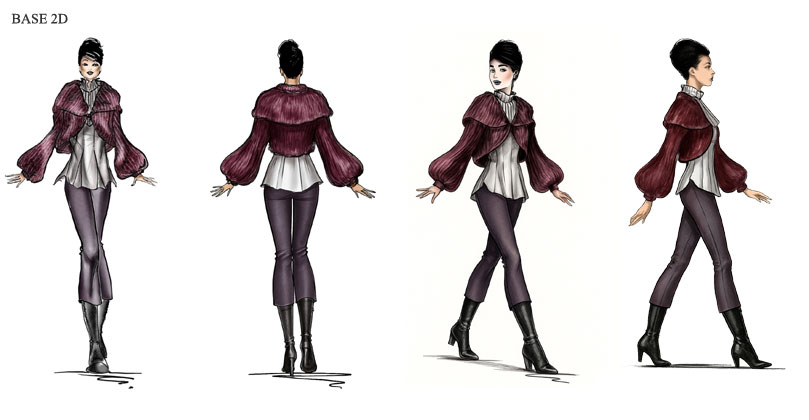
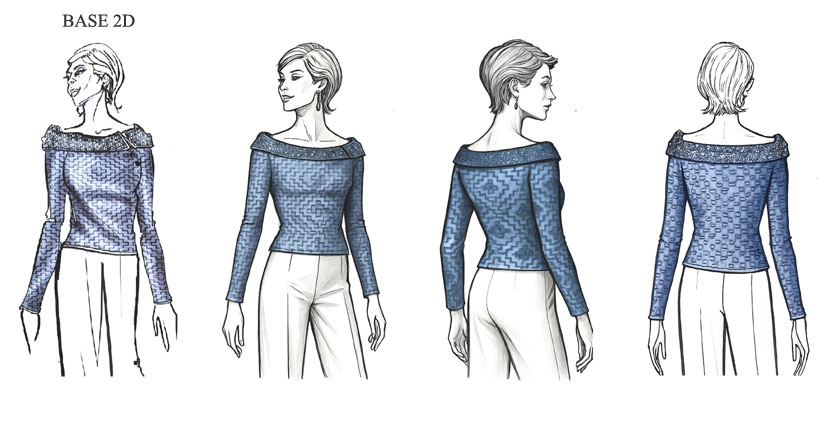
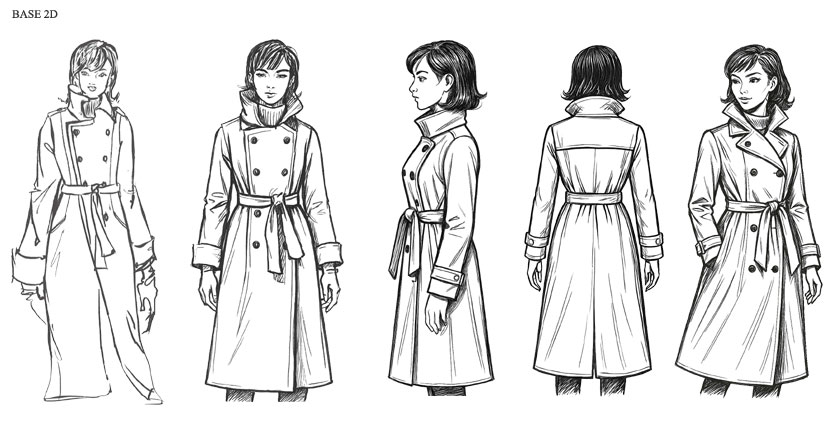
Help with creation
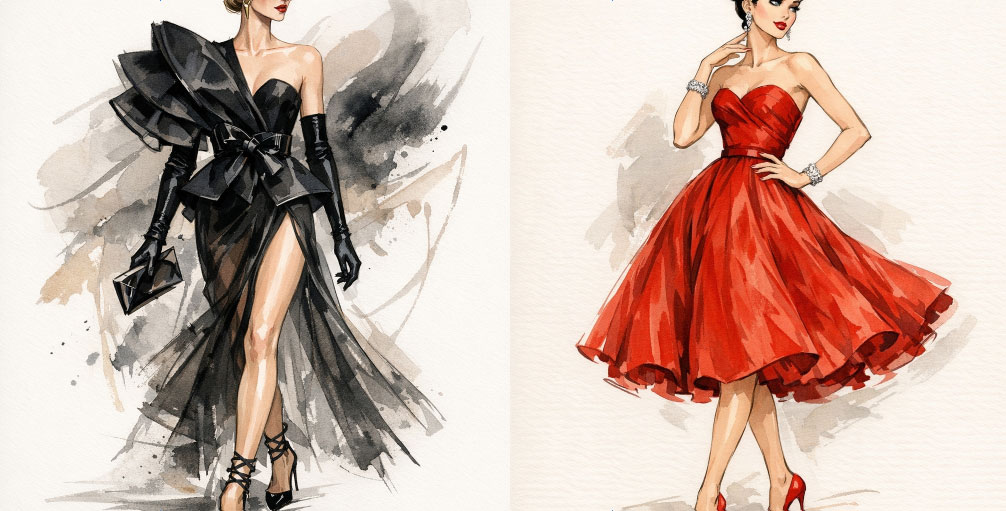
Example of a presentation designed to highlight two classic fashion designs renowned for their timeless elegance and importance in fashion history. These designs serve as essential references for clothing creation and learning about fashion design. Artificial intelligence can suggest or guide a fashion designer in the creation of these designs.
Creation time by A-I-Design for each view: 1 to 2 minutes
Details of creating a cutting layout for a dress pattern
The cutting layout is an essential step in pattern making. It involves correctly arranging the different pattern pieces on the fabric to ensure a precise, economical cut that conforms to the design.
In A-I-DESIGN, ask it to create a model according to the suggested criteria, or import a personal drawing into A-I-DESIGN.
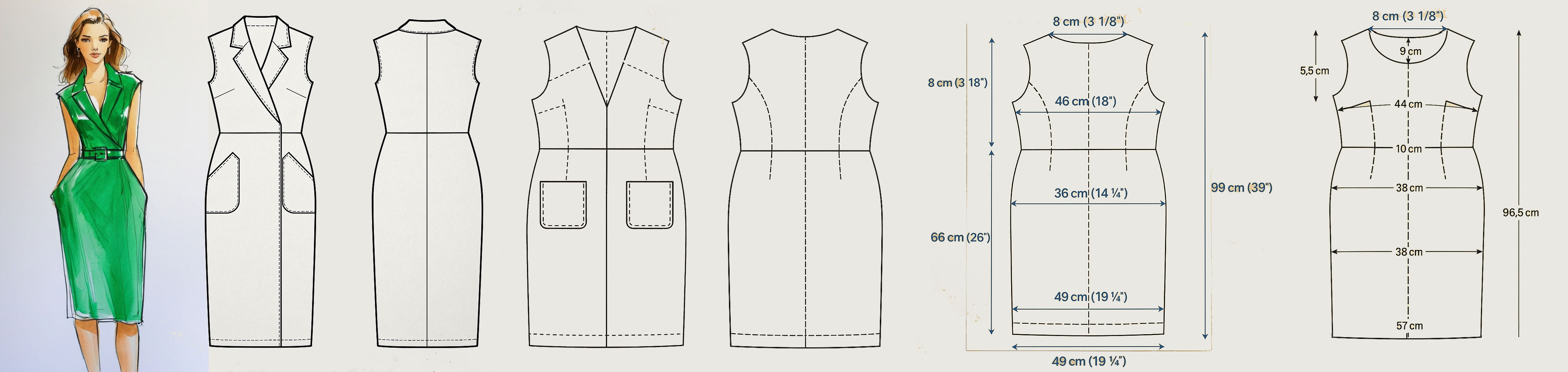
Dress Pattern Analysis
Example Prompts used for this pattern:
1) Can you draw me the flat pattern without the waistband, ready to cut, for this dress at the scale you require?
2) Can you draw me the flat cutting layout for this dress pattern?
3) Can you draw me the cutting layout for the back?
4) Can you draw me the cutting layout for the front?
5) Can you add the measurements to the cutting layout for a size 38 (repeat this Prompt for each cutting layout, front and back)?
A-I-Design 3.1 introduces a major evolution with multi-image project management, enabling the integration of up to eight elements within projects. This version allows for the precise combination of clothing, canvas (textures), accessories, backgrounds, and other graphic elements into a single, cohesive composition. The smart zone system (top, bottom, sleeves, etc.) improves the targeted application of textures, while advanced role management ensures that each image retains its function without interference. Users can now layer multiple canvases on different parts of the same garment, enrich the scene with independent accessories, and create more complex and realistic renderings. Thanks to improved priority interpretation and optimized prompt structuring, A-I-Design 3.1 offers enhanced creative control and significantly improved blending quality.
Set design, mannequin and accessories created with A-I-DESIGN v3.1
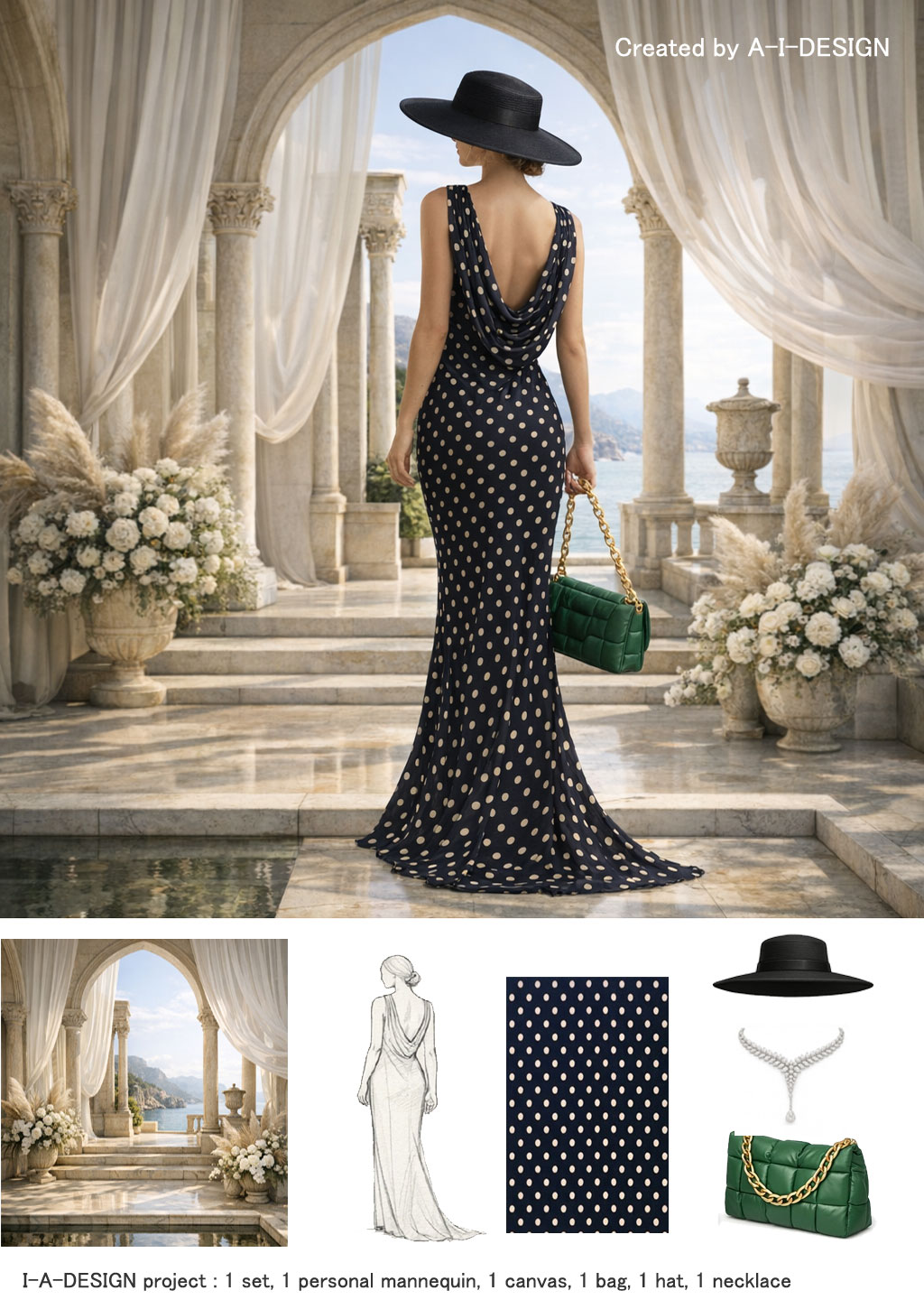
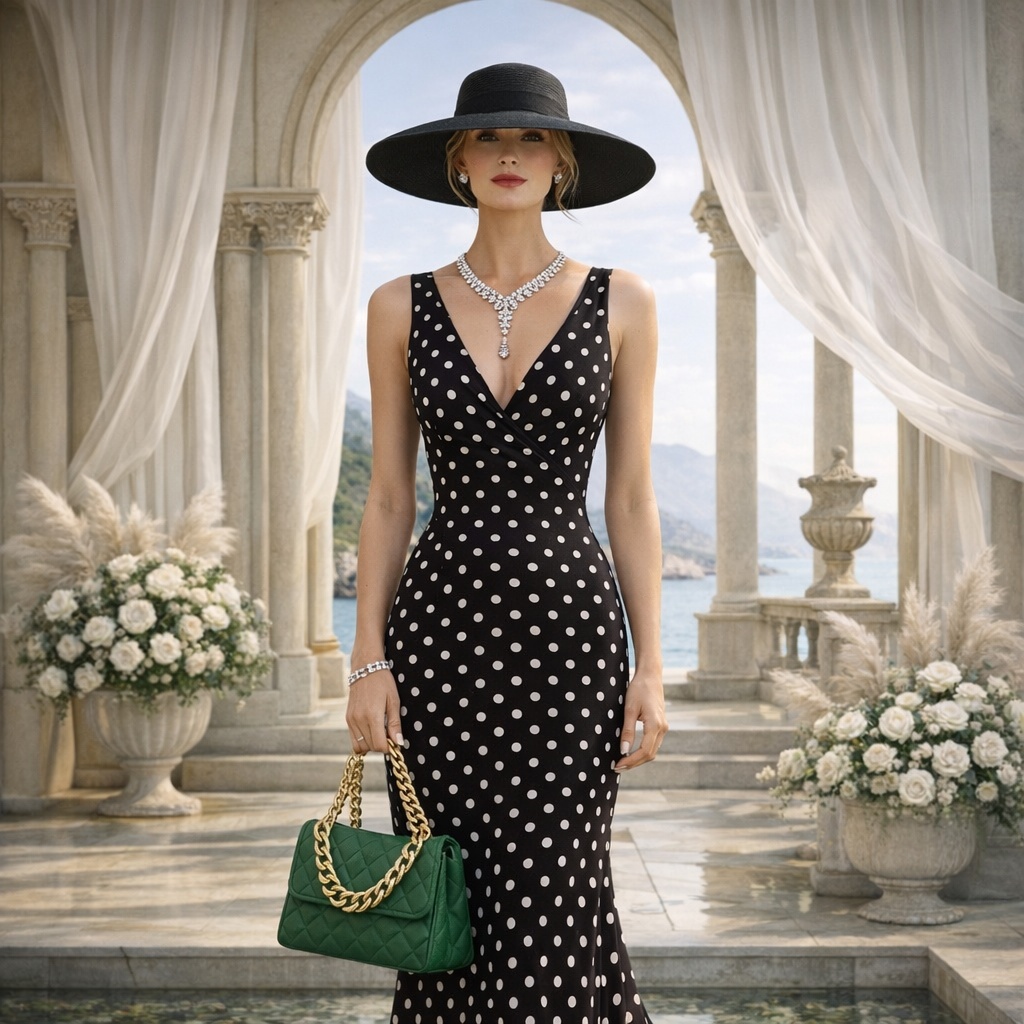
With A-I-DESIGN v4's AI Studio, creating a graphic scene from multiple personal images becomes simple.
Artificial intelligence automatically adjusts the views, proportions, and dimensions of each element to integrate them harmoniously into a unique composition.
No prior editing or manipulation using drawing or image-editing software is required; a specification in the prompt sent to the AI is all that is needed.
All transformations are performed automatically, making it possible to quickly obtain a result that is coherent, realistic, and ready for use.
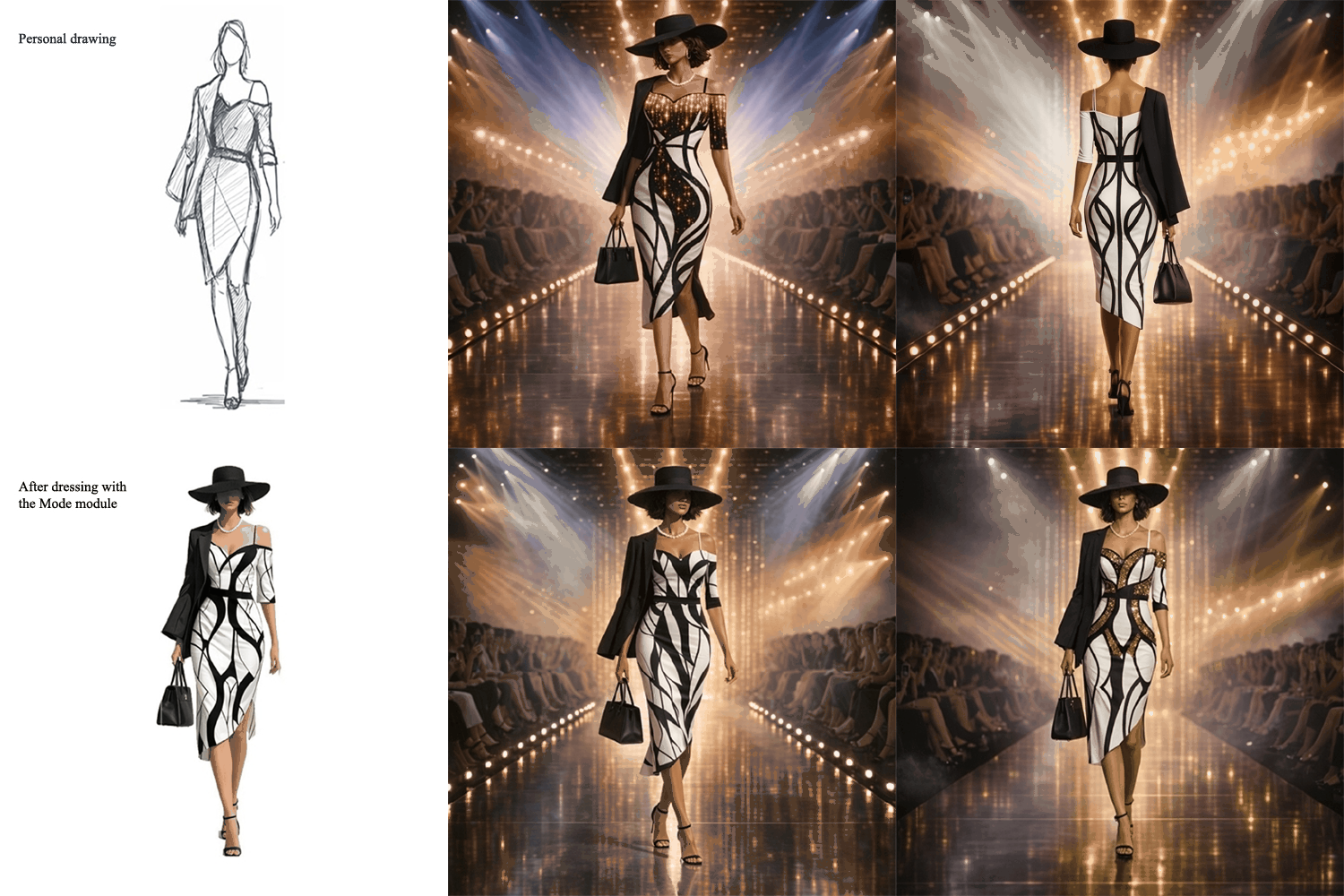
This presentation was created using personal images fed into an artificial intelligence system, with instructions to apply various orientations to the source images in order to simulate a realistic presentation of the models.
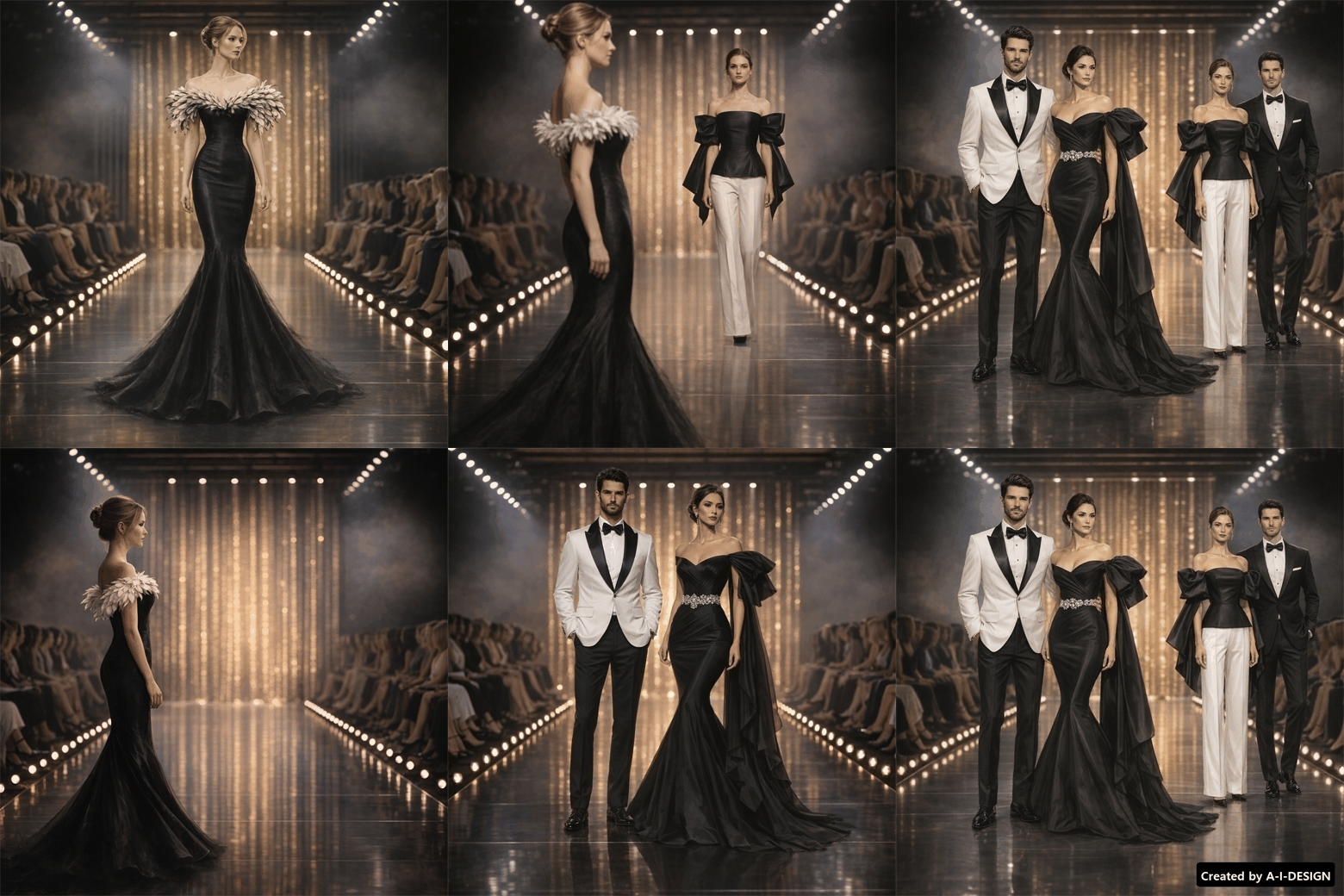
Drawing or Image Quality
You can achieve drawing quality by specifying a precise artistic style in the prompt (illustration, sketch, pencil drawing, comic book style) and describing the lines, textures, and type of graphic rendering desired.
For realistic image quality, you must specify photographic elements such as lighting, depth of field, resolution, realistic details, or photo-like rendering. Therefore, the more information the prompt contains about the style, technique, and level of detail, the closer the result will be to the desired visual quality..
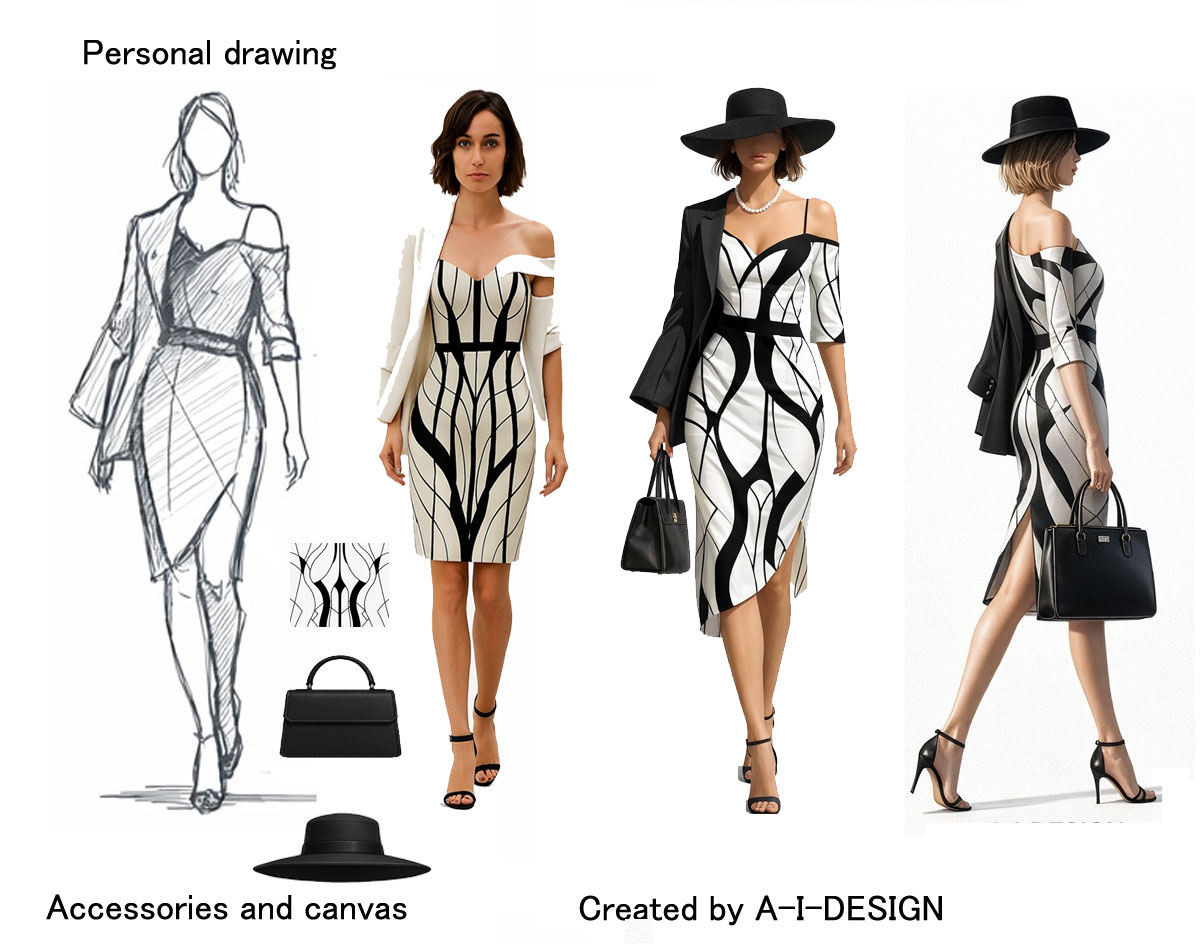
Starting from the left-hand view, A-I-DESIGN also obtained the front view (right-hand views) using artificial intelligence. The system thus reconstructs the garment, respecting its structure, volumes, and details, while maintaining stylistic consistency and the applied textures.

